Compliance Intelligence for Regulated Workflows
HarbourFlow builds a continuously improving model of your relationships, decisions, evidence, and institutional knowledge, creating a richer understanding of your business with every workflow it processes.
Scattered information becomes connected knowledge.
HarbourFlow brings source records into a shared model, connects them through a knowledge graph, and gives analysts the context to decide. Each review adds to what your organization knows.
Many sources, one review.
It arrives from everywhere, in every shape. HarbourFlow brings it together.
- Watchlists
- Screening results
- News
- Public filings
- Your documents
- Past reviews
One picture of who you are dealing with
- What matters
- What conflicts
- What changed
- What needs attention
Nothing is merged on a guess.
Compounding Knowledge
HarbourFlow retains what earlier reviews established, applies it to the case in front of you, and carries today's decision into the next one.
People and companies
Connected across case files when identity information agrees
Roles in organizations
Each role points to its source record
Related case files
The same counterparty can appear in more than one review
Screening records
Previous results remain connected to the counterparty
Candidates and prior decisions
Resolution, reason, and analyst retained with the screening record
What the connections reveal
Which case files share a counterparty?
Counterparty → Role → Organization → Case file
What did earlier reviews establish?
Counterparty → Screening → Decision → Source record
What needs a fresh assessment?
Previous screening → Current screening → Analyst review
Your own tenant. Your own AI.
HarbourFlow runs in a private cloud dedicated to your firm, and so do the models behind it. Screening data, documents, the knowledge graph and every decision stay inside that boundary.
No third-party AI service receives your data. Nothing you process trains a model.
- ApplicationScreening, review and case files
- Knowledge graphPeople, companies, decisions
- Documents and evidenceYour files, your records
- AI modelsChat, embeddings and reranking, served inside
Nothing crosses this line. No third-party AI service, no shared environment, no training on your data.
People make the decision.
The analyst checks the evidence and records a conclusion with a reason. The decision record identifies who decided and when.
The knowledge graph supplies context. Professional judgment stays with the person responsible for the review.
The decision record
- Conclusion
- The outcome the analyst records after review.
- Reason
- The reason code and explanation that support the conclusion.
- Evidence
- The source records and comparisons the analyst used.
- Accountability
- Who made the decision and when it was recorded.
A recorded decision becomes context for future reviews.
Every review leaves the next one better informed.
The knowledge graph retains relationships, screening history, and prior decisions across case files. Future reviews begin with that existing context.
Analysts can see what was decided before and which screening candidates are new, removed, or unchanged. They assess whether earlier conclusions still apply.
The next review starts with
Your organization's existing knowledge
- Known identities and relationships across case files
- Earlier screening results and analyst decisions
- The reasons and evidence behind each decision
- Changes since the previous screening
What your team does with it.
Three workflows on one set of sources, one knowledge graph, one audit record.
Nothing is exported between them. What one workflow records is context for the next.
Screen people and companies against the sanctions and PEP lists.
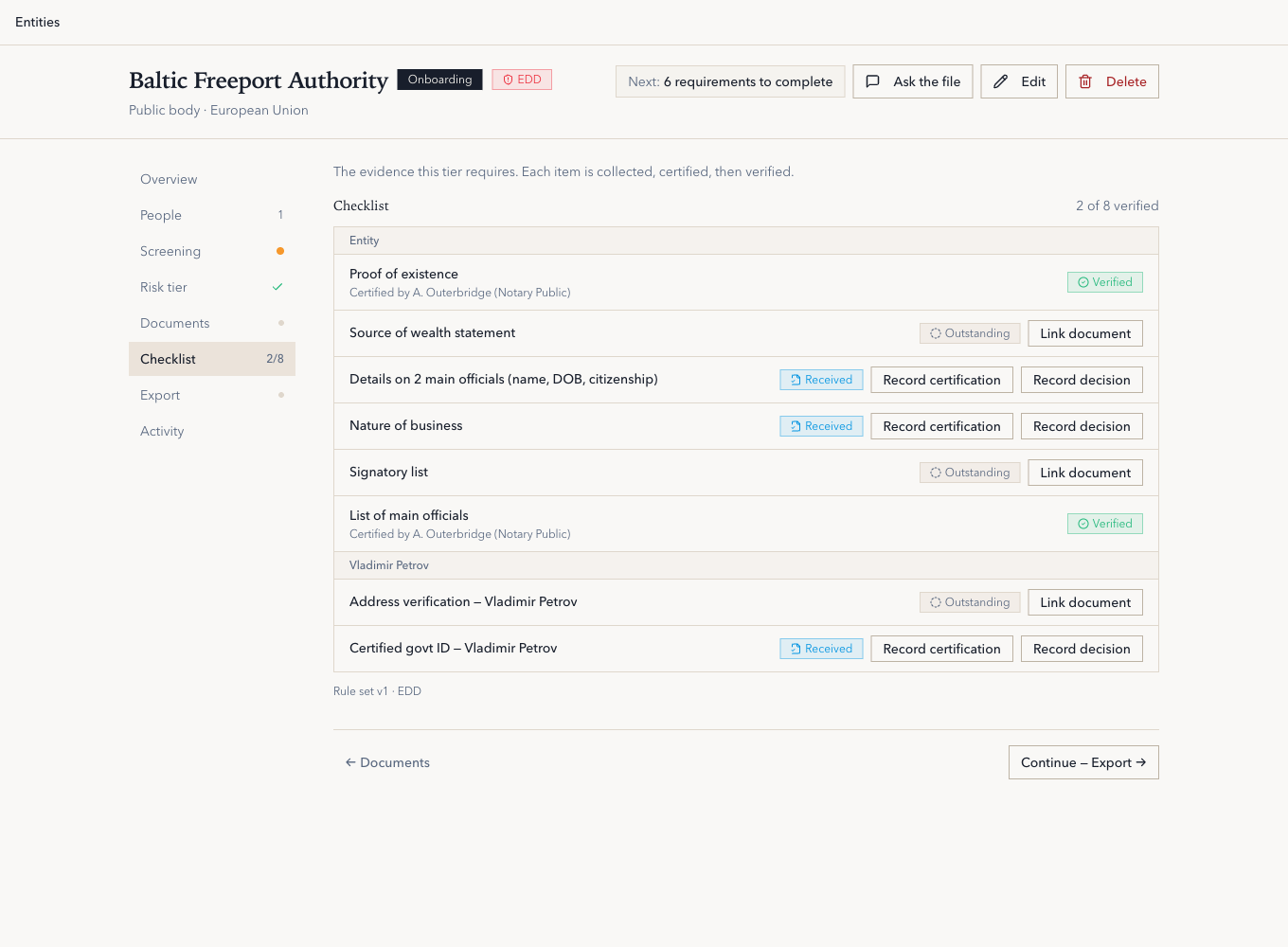
Every candidate keeps its evidence, its match confidence and the analyst's decision, so the case file is ready for an examiner.
Built for professional teams operating in regulated environments.
- Insurance
- Reinsurance
- Compliance
- Underwriting
- Financial Services
Designed for sensitive information.
HarbourFlow runs inside a private cloud that belongs to your organization. Your documents, screening results and decisions stay there.
- The platform and the models behind it run in a private cloud dedicated to your firm. No third-party AI service receives your data.
- Each customer runs in a dedicated environment that no other client shares.
- Your data stays encrypted at rest and in transit.
- An append-only record of every screen, question, result and document, each tied to the person who ran it.
- Permissions are set per resource, with single sign-on from day one. No anonymous accounts touch your data.
- Your data is used only to deliver the service. It is never used to train a model.
See how connected intelligence supports your work.
Explore how HarbourFlow connects your sources, supports analyst review, and retains what your team learns. A demonstration takes about 30 minutes.